Single Step Box Builder
Create curated sets in a ready-to-gift box where customers pick items from a single organized pool.
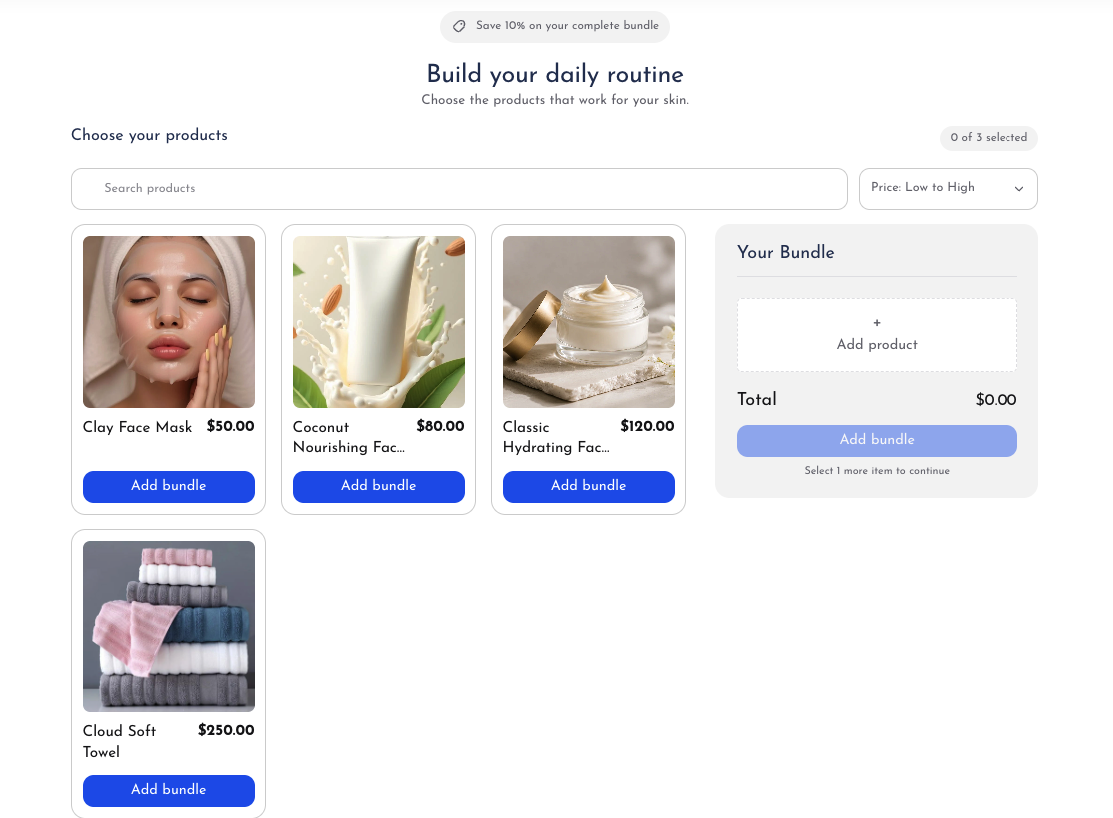
The Single Step box builder allows shoppers to build a custom box by selecting items from a single catalog view (e.g. 'Pick any 4 candles for $40' or 'Build your 6-pack beverage assortment'). Customers see all available choices at a glance with a live box counter showing how many slots remain.
How to Configure a Single Step Box
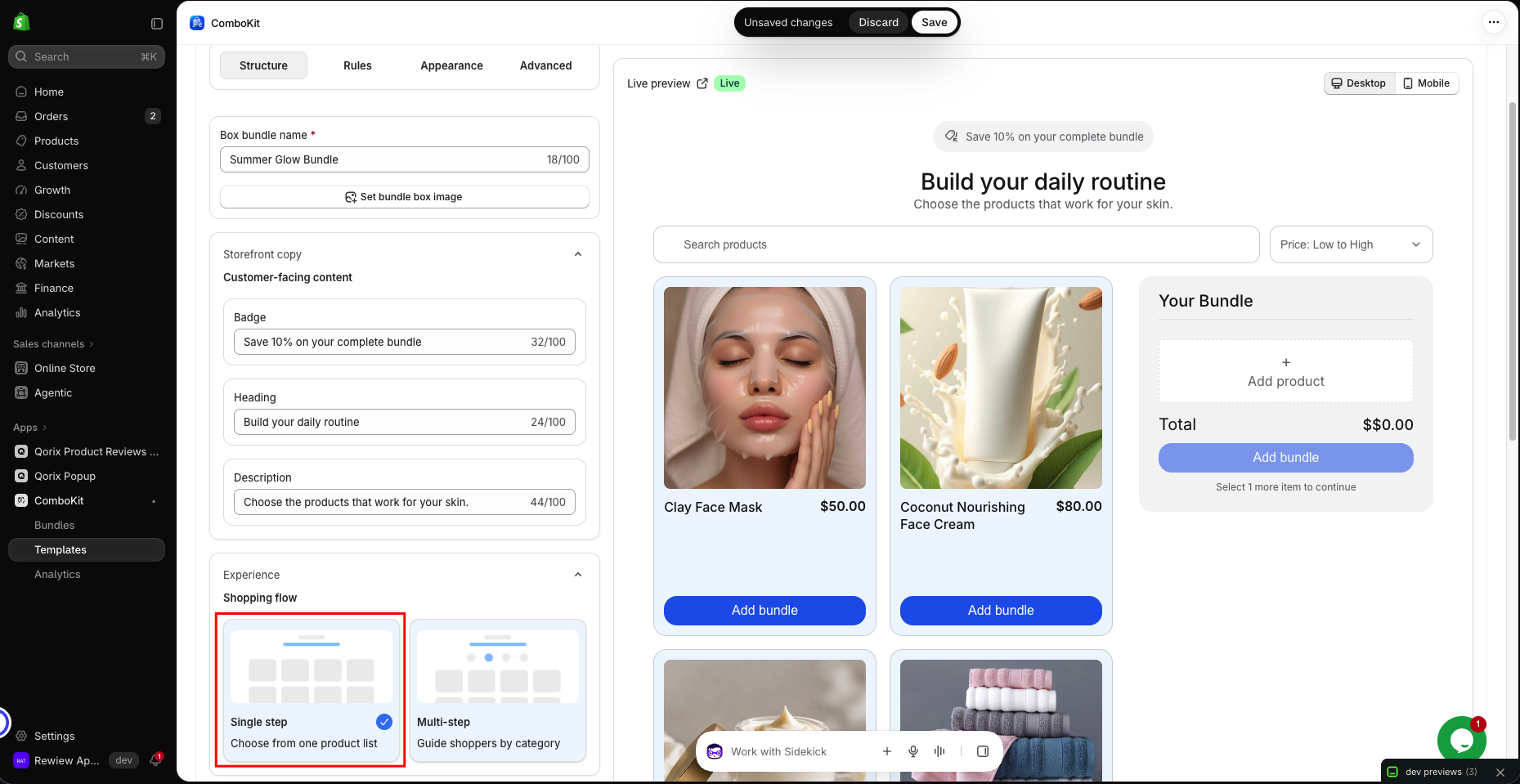
- Name & Badge: Enter a recognizable box title (e.g. 'Build Your 4-Pack') and an optional badge (e.g. 'Most Popular').
- Assign a clear box name and promotional badge to grab shopper attention immediately.
- Select Product Source: Choose between:
- Selected Products: Pick individual products and variants using the Shopify picker.
- Specific Collection: Automatically populate the box options from an active Shopify collection.
- Set Quantity Limits: Define
minItems(the minimum items required to complete the box) andmaxItems(the maximum allowed). For example, min = 4 and max = 4 for a fixed 4-pack.- Enforce minimum and maximum item counts to ensure customers build complete boxes before adding to cart.
- Configure Pricing & Discounts: Choose your discount method:
- Percentage Off: Discount the total sum of selected items (e.g. 15% off).
- Amount Off: Deduct a fixed dollar value from the box total (e.g. $10 off).
- No Discount: Charge regular component prices while bundling into one convenient gift box.
- Enable Variant Selector: Allow shoppers to pick specific sizes, scents, or flavors for each product directly inside the box card.
- Inline dropdowns allow selecting variant attributes without navigating away from the box builder.