Offer Stack (Tiered Quantity Breaks)
Incentivize customers to purchase higher quantities of the same product with stacked discount tiers.
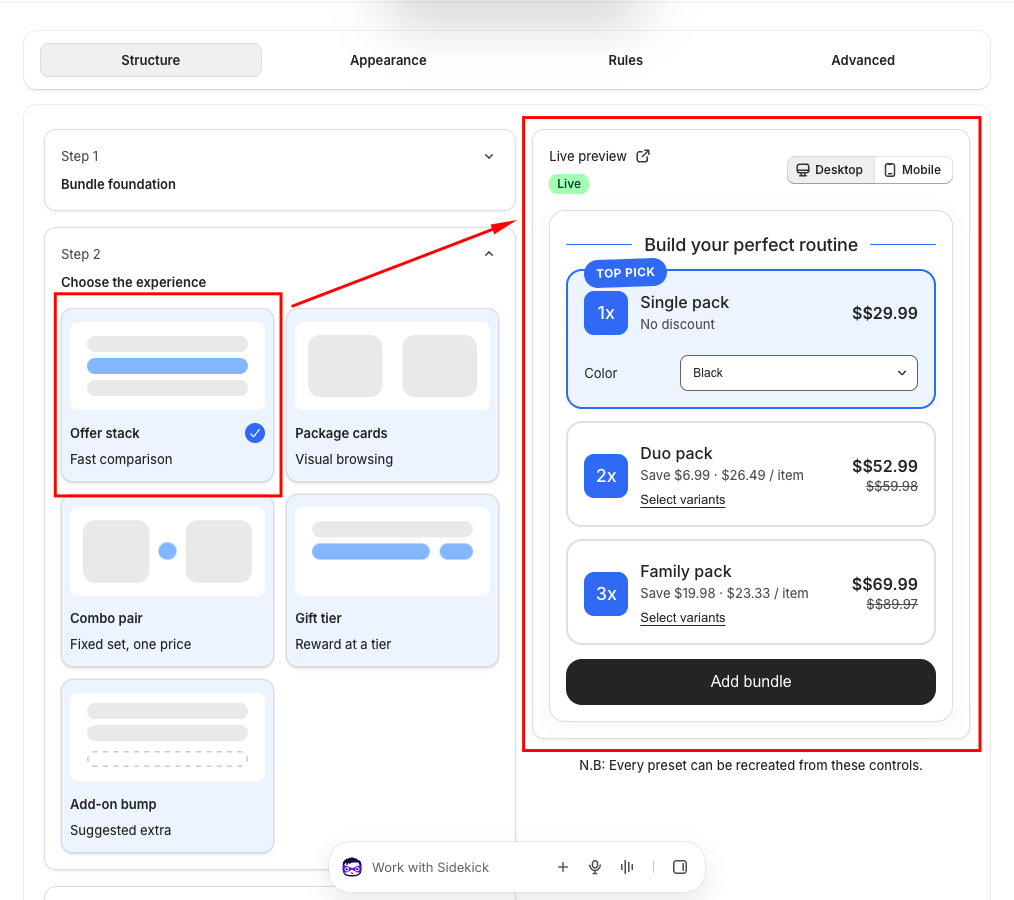
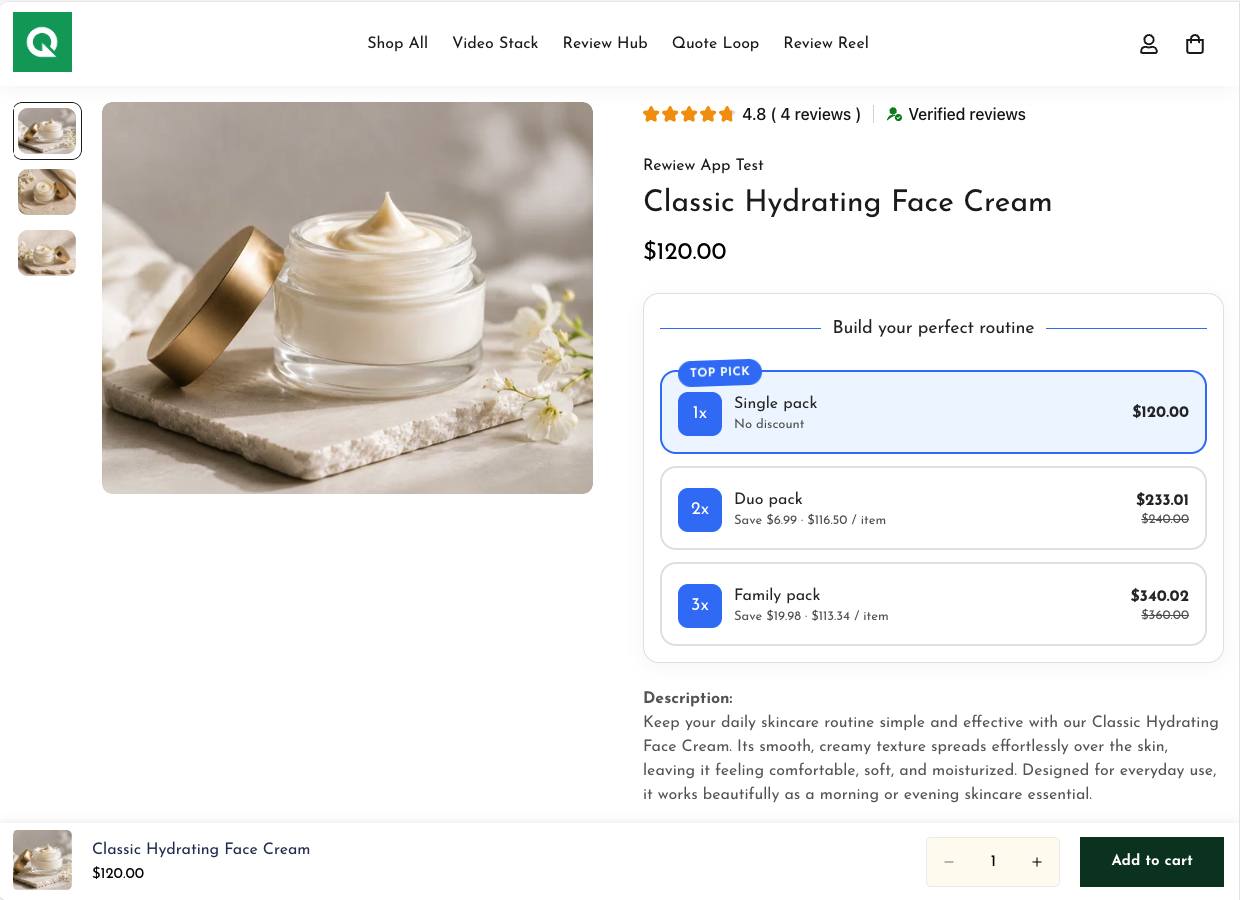
The Offer Stack template presents quantity break choices in clean vertical or horizontal stacked rows. It is ideal for consumables, beauty care, supplements, apparel essentials, and any product where buying multiples offers value.
How to Configure an Offer Stack
- Select Target Products: In the Structure tab, define product eligibility:
- All Products: The offer stack applies to every product on your store.
- Selected Products: Pick specific products using the Shopify product picker.
- Specific Collection: Apply the offer to all items within designated collections.
- Define Quantity Tiers: Add tiers such as:
- Tier 1: Quantity 1 — Standard Price (No Discount)
- Tier 2: Quantity 2 — 10% Off with badge 'Popular'
- Tier 3: Quantity 3 — 20% Off with badge 'Best Value'
- Set Discount Types: Choose between Percentage Off, Fixed Amount Off per unit, or Fixed Bundle Price.
- Percentage Off: Apply a percent discount (e.g., 10% off for 2 items, 20% off for 3 items).
- Fixed Amount Off: Deduct a flat dollar amount per unit or on total bundle price.
- Fixed Bundle Price: Set a flat total price for the package tier (e.g., $49 for 3 items).
- Choose Badge Styles: Highlight top tiers with 6 eye-catching badge styles: Simple, Flag, Celebration, Popular, Marquee, or Ticket.
- Pre-Built Styles: Choose from Simple, Flag, Celebration, Popular, Marquee, or Ticket visual treatments.
- Custom Styling: Customize badge text, background color, and font color to match your store theme.
- Set Default Selected Tier: Mark your highest-margin tier as default to guide shopper selection automatically.
- Pre-selects your recommended tier upon page load, driving higher initial cart values with zero extra clicks.
Appearance & Conversion Options
- Theme Presets: Choose from Sky (Blue #3B82F6), Forest (Green), Berry (Purple), or Slate (Neutral dark) or customize custom accent colors.
- Selector Shape: Toggle between Radio buttons, Checkboxes, or Quantity steppers.
- Variant Selector: When enabled, shoppers can select different sizes or colors for each individual unit in the bundle.
- Savings Format: Display savings as 'Save $10.00', 'Save 20%', or 'You save $10.00'.