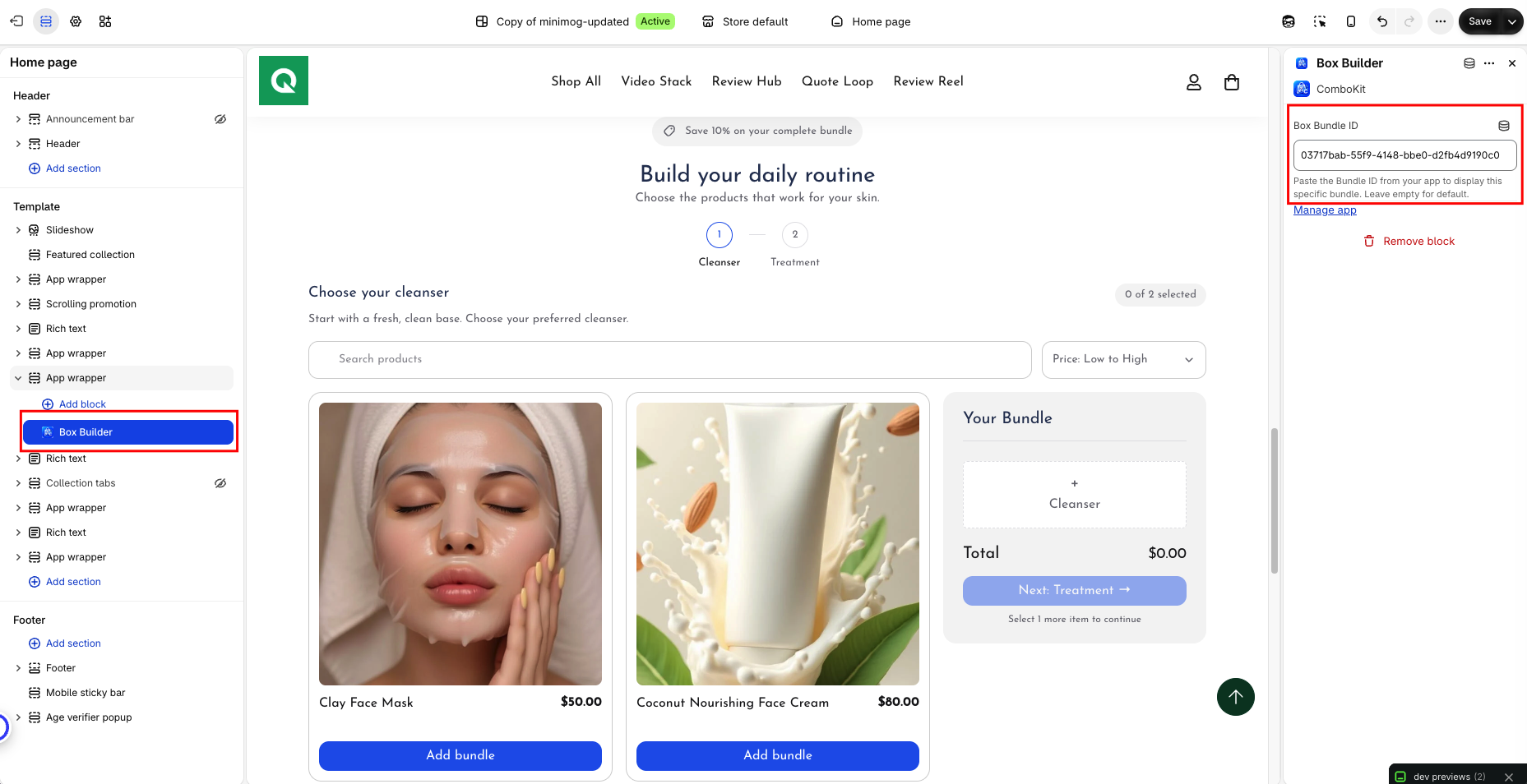
Box Builder Block Placement
Integrate full-featured Mix & Match Box Builders into product pages or dedicated custom landing pages.
The Box Builder Block powers interactive single-step and multi-step custom box builders. It features a responsive layout with a product selection grid, step progress bar, real-time box item summary sidebar, and instant checkout action.
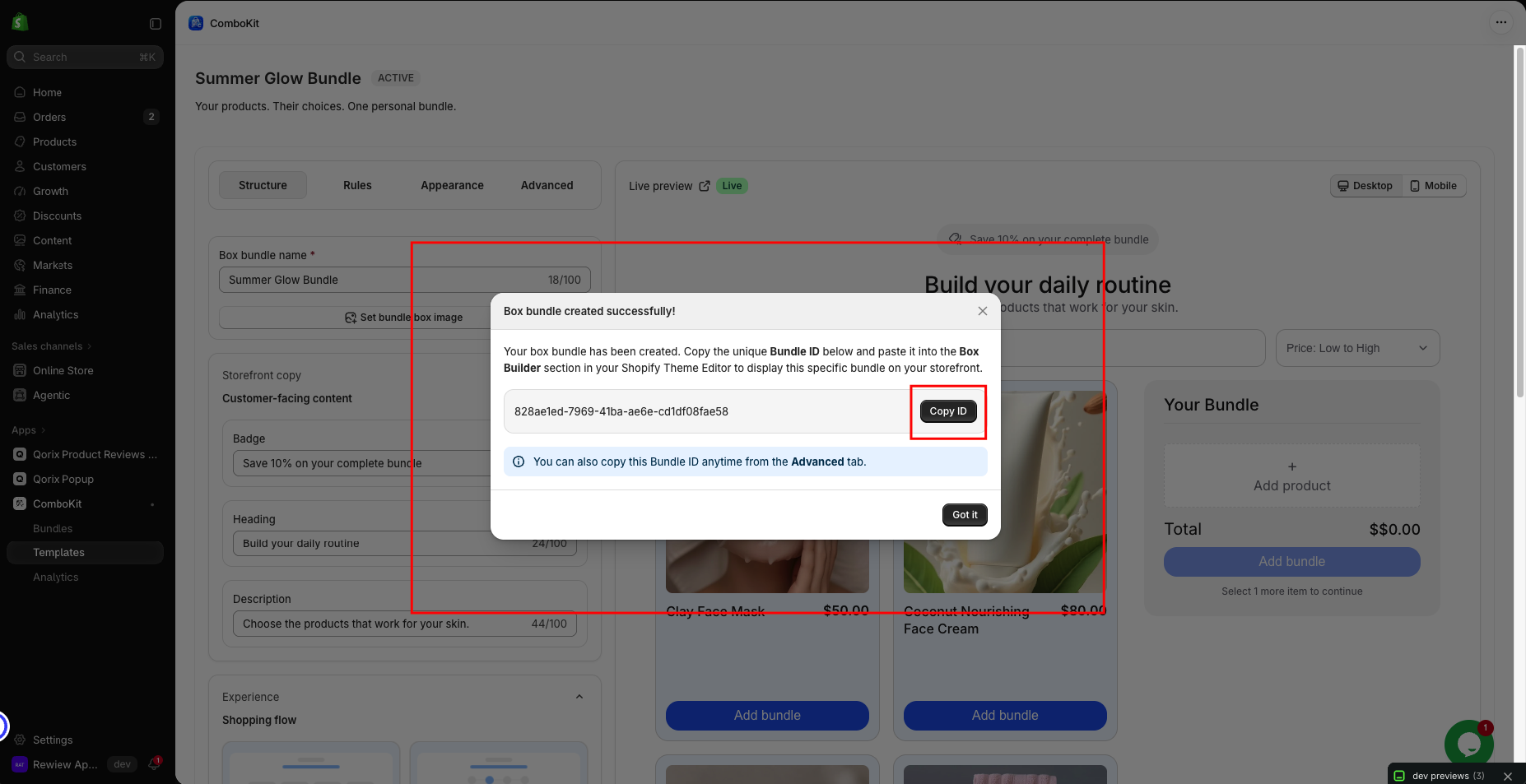
Integration Options
- Option A: Dedicated Box Builder Page:
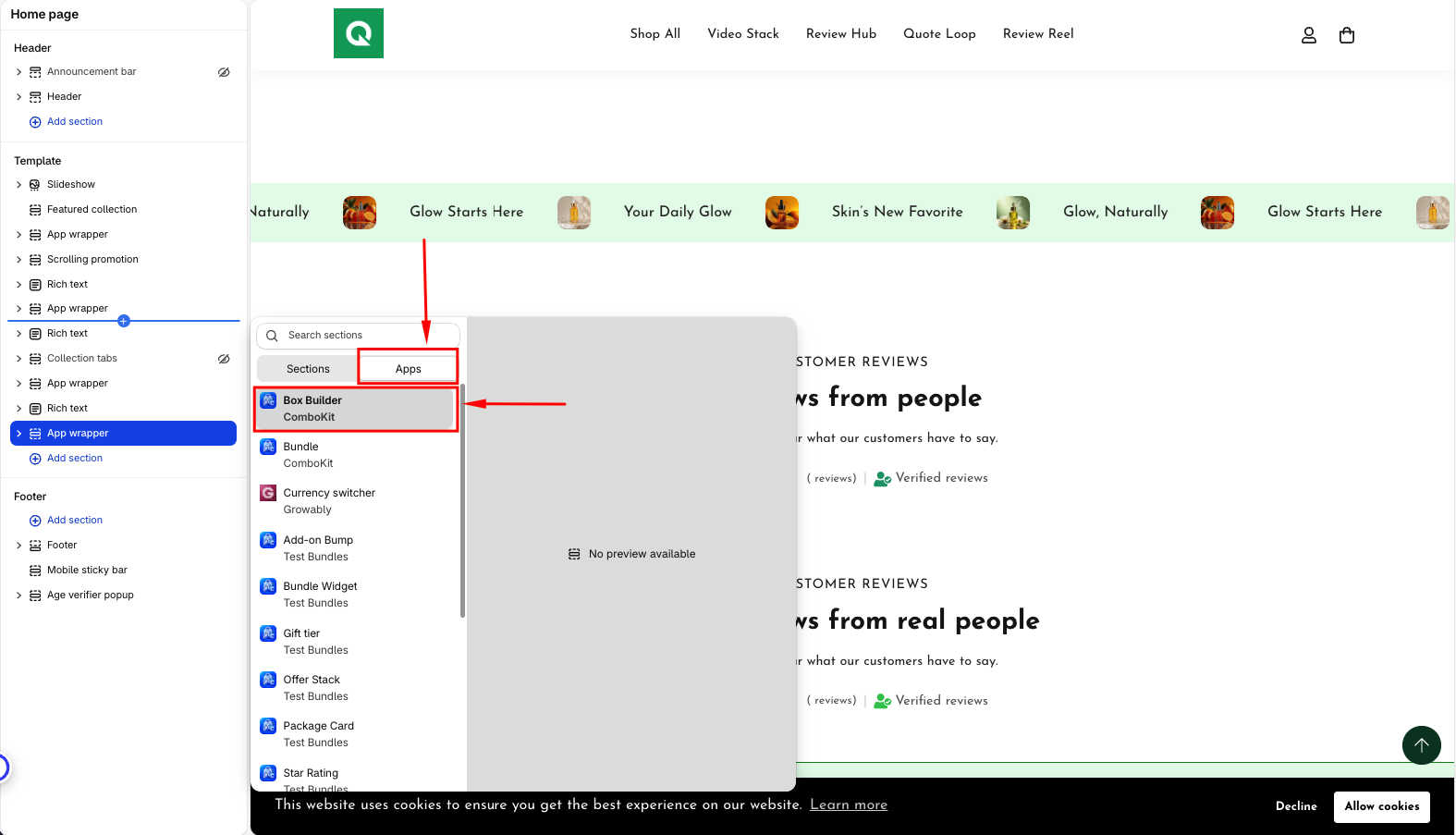
- In Shopify Theme Editor, create or open a custom page template (e.g.
page.custom-box). - Add a new section or block: click Add section > Apps > Box Builder.
- In the block settings panel, paste your Bundle ID generated from ComboKit > Box Builders > Advanced tab.
- Click Save. Customers can now navigate to your custom box page URL.
- In Shopify Theme Editor, create or open a custom page template (e.g.
- Option B: Product Page Embed:
- Assign the Box Builder block to a product template where the parent bundle product is featured.
- Enter the Bundle ID to bind the interactive box builder directly to that product.