Combo Bundle (Multi-Product Kits)
Combine multiple distinct products together into a single discounted package with native Shopify Cart Transform.
The Combo Bundle template allows merchants to package distinct products together (e.g., Shampoo + Conditioner). Powered by the app's native Cart Transformer Shopify Function, the bundle behaves as a single discounted offer on the product page, but automatically splits into real individual component SKUs in the checkout and order fulfillment!
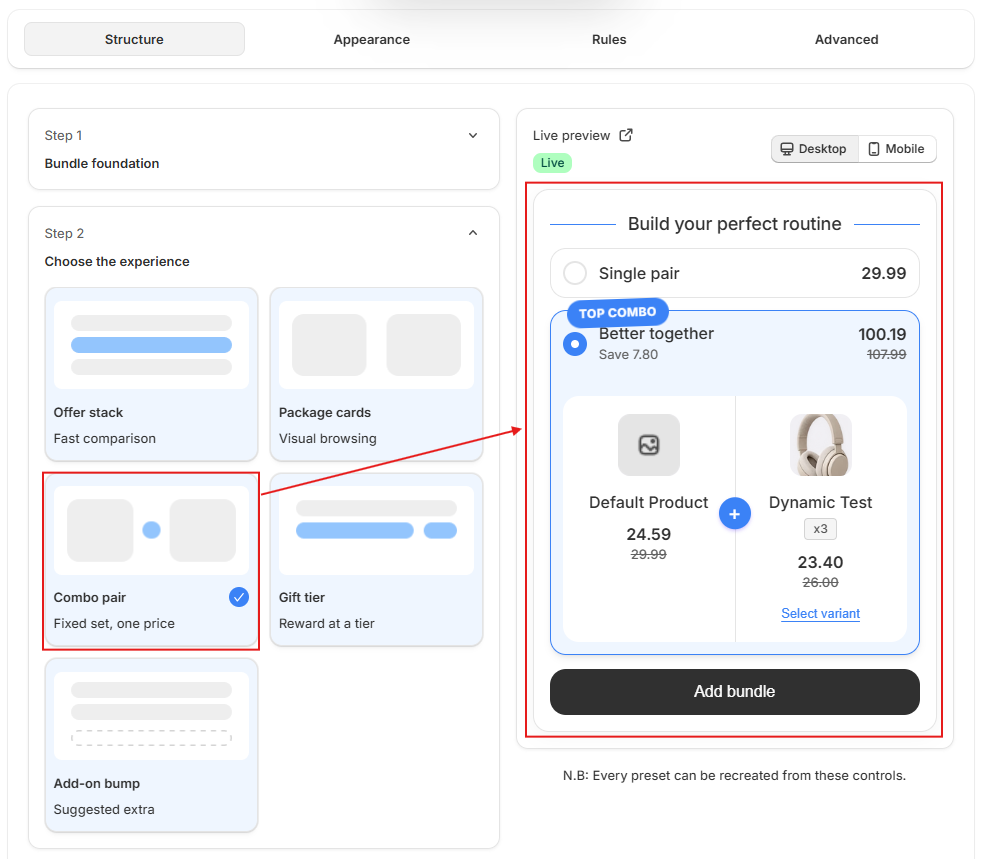
How to Build a Combo Bundle
- Assign Main Product (PDP): Select the primary product where the combo offer widget will be displayed.
- The main product can also receive its own promotional discount if desired.
- Add Component Products: Click 'Add Product' to select the secondary products included in the combo.
- Specify quantity and individual variant pricing/discount for each component.
- Configure Bundle-Level Pricing: Choose whether the discount applies as a flat percentage off the entire package, fixed dollar savings, or custom prices per component item.
- Enable Variant Selectors: Allow shoppers to customize size, color, or style for all items directly inside the combo widget before adding to cart.
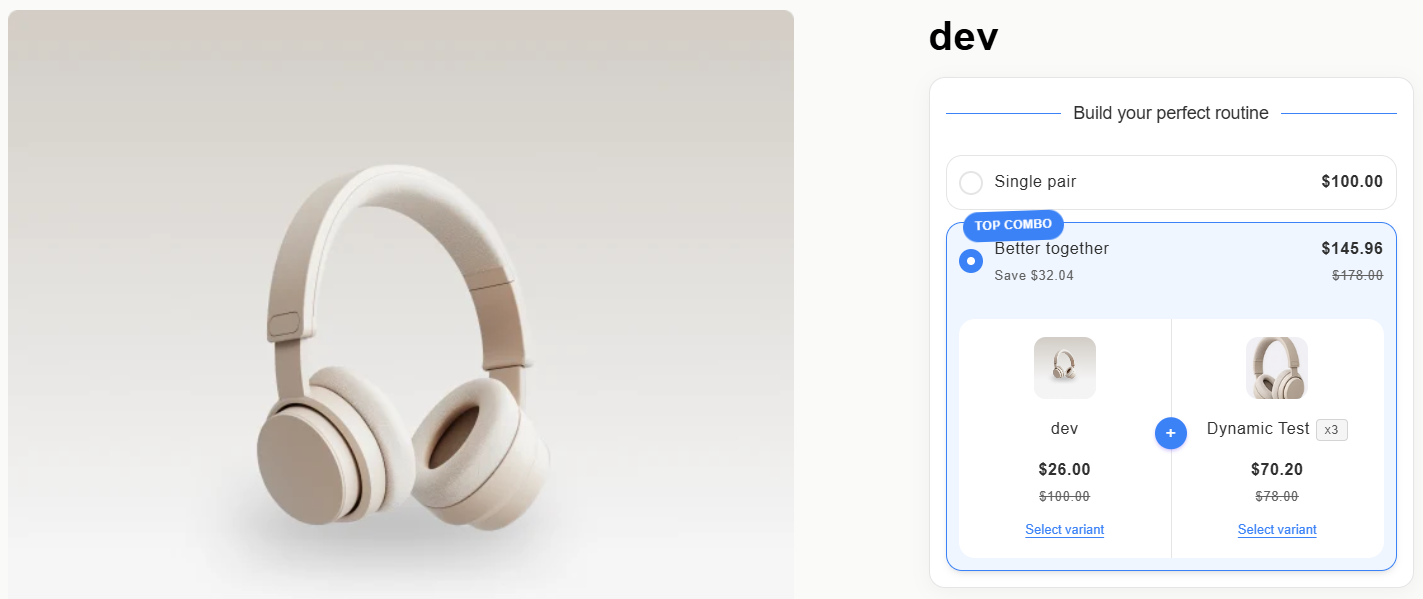
Cart Transformer & Inventory Magic
Unlike older bundle apps that force you to create dummy pre-packaged Shopify products, ComboKit leverages native Shopify Cart Transformation:
- Zero Duplicate Inventory: Each bundled product deducts stock from its genuine Shopify inventory level in real-time.
- 3PL & Warehouse Ready: ShipStation, Amazon MCF, and ERPs see the exact barcodes and SKUs needed for picking and packing.
- Automatic Tax & Returns: Individual item taxes and partial returns are handled natively by Shopify without calculation errors.