Add-on Offer (Smart Product Bumps)
Cross-sell optional extras, warranties, or complementary accessories directly inside the product bundle card.
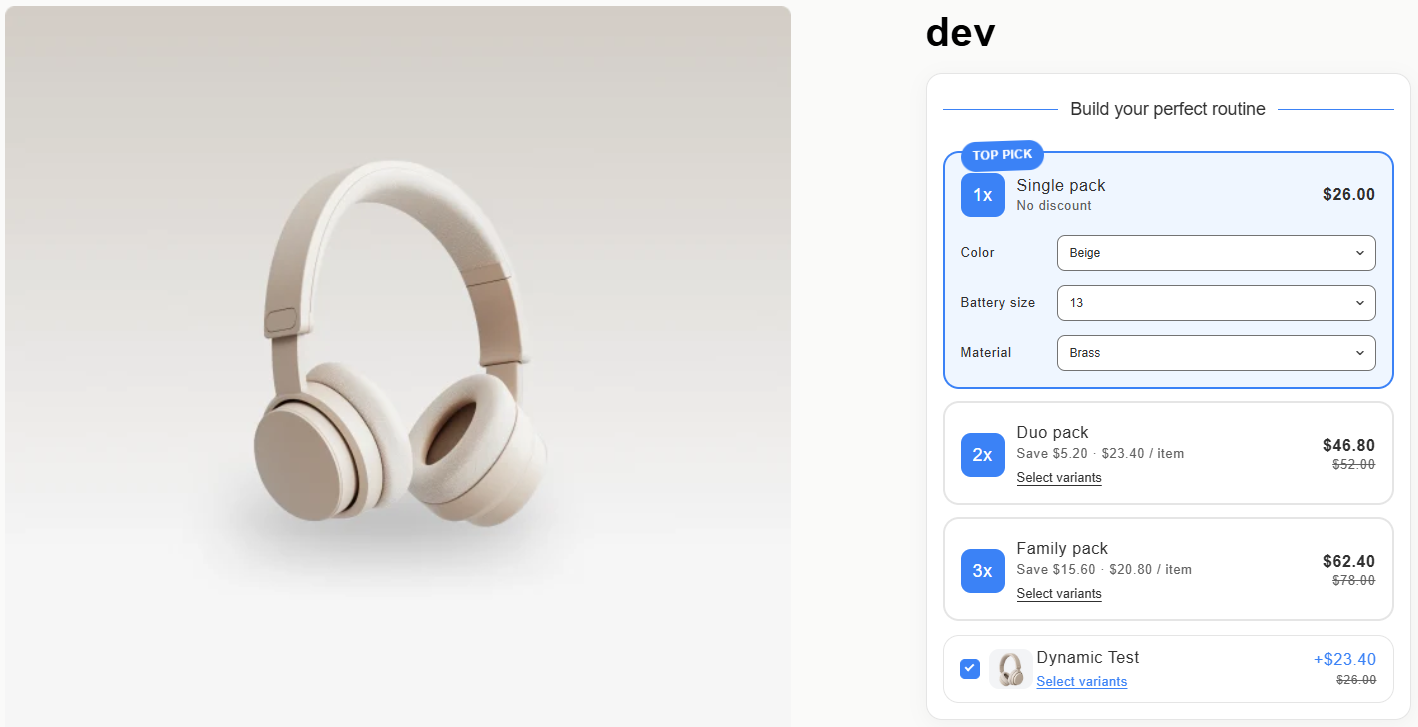
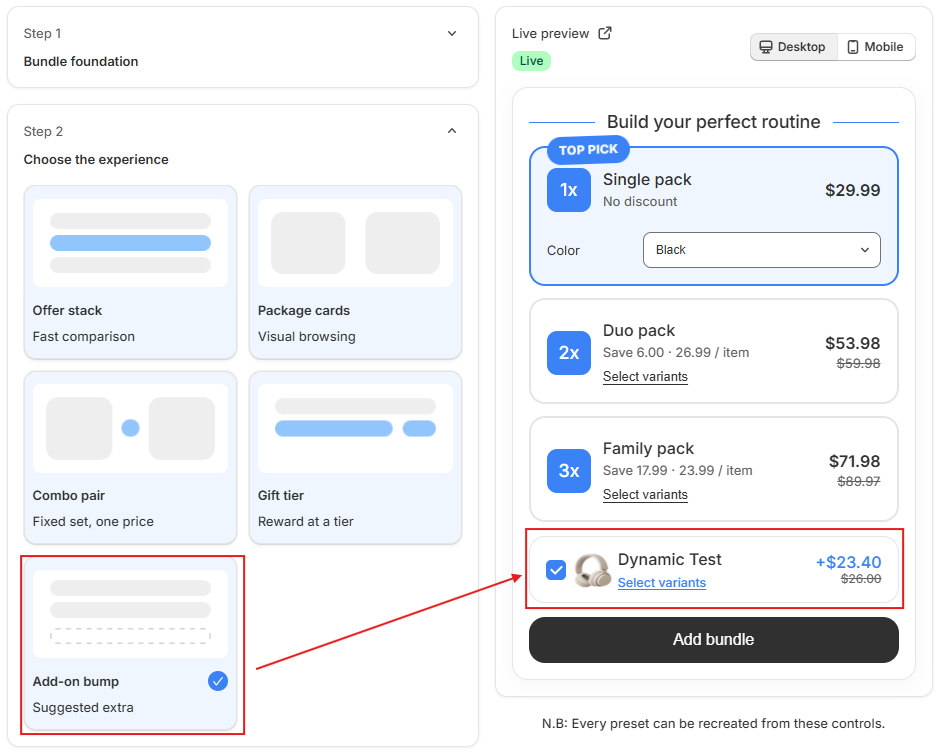
The Add-on Offer (Add-on Bump) template lets you present 1-click cross-sells alongside the primary product (e.g., matching socks with shoes, screen protector with phone, or extended care warranty).
Configuration Details
- Select Add-On Products: Choose up to 5 complementary products to feature as optional add-ons.
- Assign Add-On Discounts: Offer the add-on at full price or at an exclusive bundle-only discount (e.g. 20% off when bought together).
- Pre-selection Setting: Choose whether the add-on checkbox is selected by default or left for the customer to manually opt-in.
- Variant Selection: If the add-on has variants (like size or color), a quick variant dropdown appears inline.